
Support answer review
How do you review support answers with a classifier?
Give a separate classifier the draft reply, the relevant policy and the known customer facts. Ask it to label the reply as supported, unsupported or missing evidence. Use the labels to decide what needs a closer look.
Review one policy question
- Choose the evidence. Pass the proposed reply, the policy excerpt the agent received, and the known facts needed to apply it. For a refund question, that might be the plan type and purchase date. Leave unrelated customer details out.
- Define the three labels. Use Supported when the evidence backs the reply. Use Unsupported when the reply makes a promise the policy rules out. Use Missing evidence when the excerpt or a fact needed to apply it is absent. Ask the classifier to name the policy line or missing fact.
- Check the labels against your own examples. Label a small set yourself and compare the results. Send unsupported and missing-evidence replies for review. Spot-check some supported replies to catch mistakes the classifier missed.
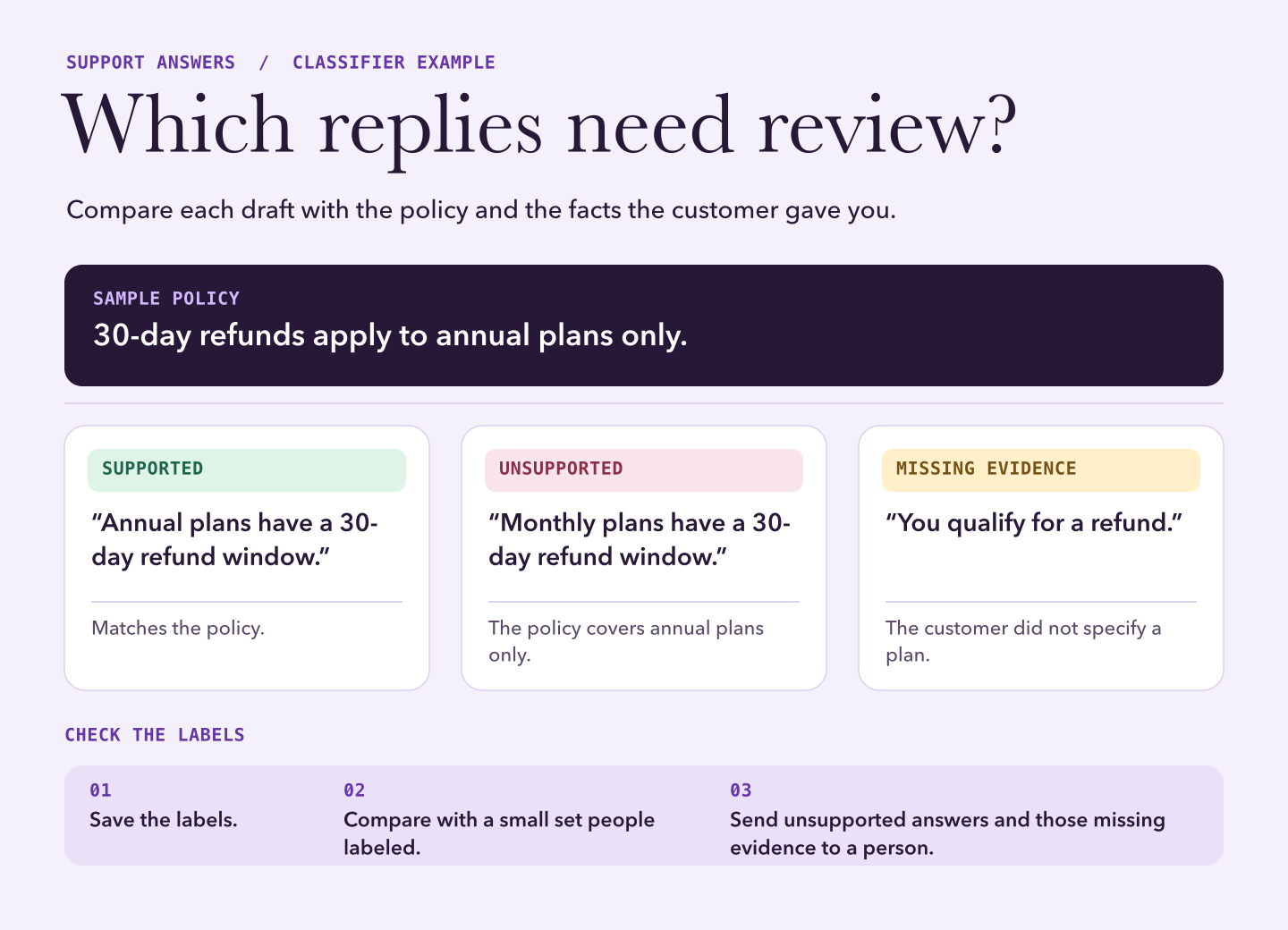
Annual-plan refund example
Suppose a policy offers 30-day refunds for annual plans only. A reply that accurately describes that window is supported. A reply promising the same window on a monthly plan is unsupported. If a reply says the customer qualifies and the plan is missing, the next step is to find the plan or ask the customer.
How can you tell whether the classifier is useful?
Label a small set of real or sample replies yourself, then compare your labels with the classifier’s. Review disagreements, especially unsupported promises that the classifier marked as supported.