
Agent tool permissions
How do you check Radar MCP’s access to a Kubernetes namespace?
Enable read-only MCP, then check the Kubernetes identity Radar uses. For a troubleshooting account, listing pods should be allowed and editing a deployment should be denied in the same namespace.
Check one namespace
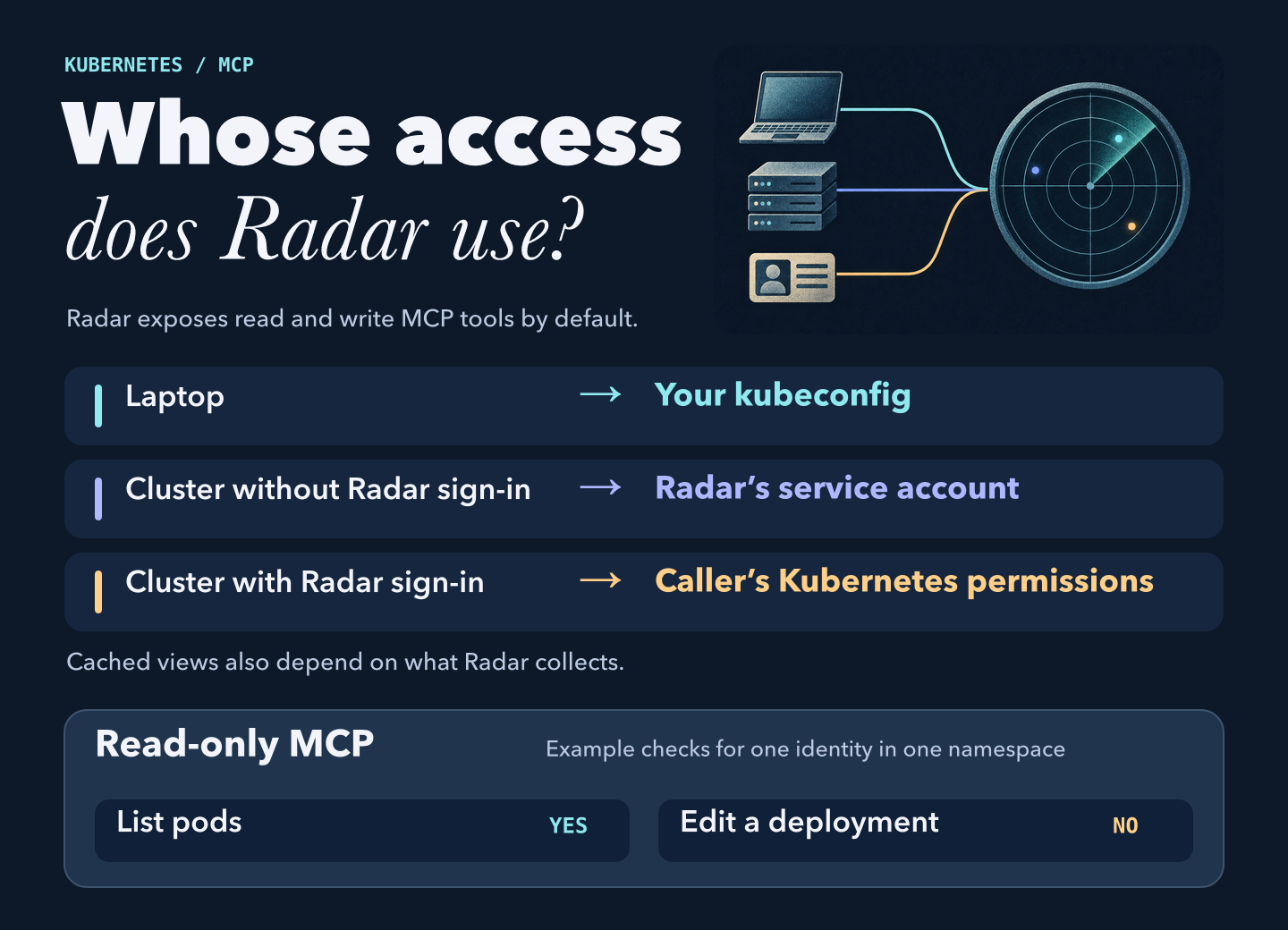
- Find the identity Radar uses. On a laptop, check the user in Radar’s kubeconfig. In a cluster without sign-in, find the service account on the Radar pod. If sign-in is enabled, check the caller’s access as well as what Radar can collect.
- Enable read-only MCP. Start Radar with
--mcp-read-onlyor setRADAR_MCP_READ_ONLY=1in the deployment. Point your agent at/mcp-readonly. Radar’s normal/mcpendpoint should return404in this mode. The setting applies to MCP tools. - Check what Kubernetes allows. In the namespace the agent needs to inspect, ask Kubernetes whether that identity can list pods and patch deployments. Expect
yesfor the read andnofor the edit on a troubleshooting account.
Service account example
From a Kubernetes identity allowed to impersonate the Radar service account, run these two permission checks. Replace APP_NAMESPACE with the namespace to inspect, and RADAR_NAMESPACE and RADAR_ACCOUNT with the Radar pod’s namespace and service account.
kubectl auth can-i list pods -n APP_NAMESPACE --as=system:serviceaccount:RADAR_NAMESPACE:RADAR_ACCOUNT
kubectl auth can-i patch deployments.apps -n APP_NAMESPACE --as=system:serviceaccount:RADAR_NAMESPACE:RADAR_ACCOUNT
Does Radar ship with read-only MCP and a separate account?
Radar enables read and write MCP tools by default. On a laptop it uses your kubeconfig. In a cluster without sign-in it uses its pod’s service account. When sign-in is enabled, the caller’s permissions also limit access.