
HubSpot phone numbers
How do you protect confirmed phone numbers in HubSpot?
Keep a confirmed phone number when an integration sends a different one. Compare both full numbers in the same format, then ask the contact owner to check a mismatch.
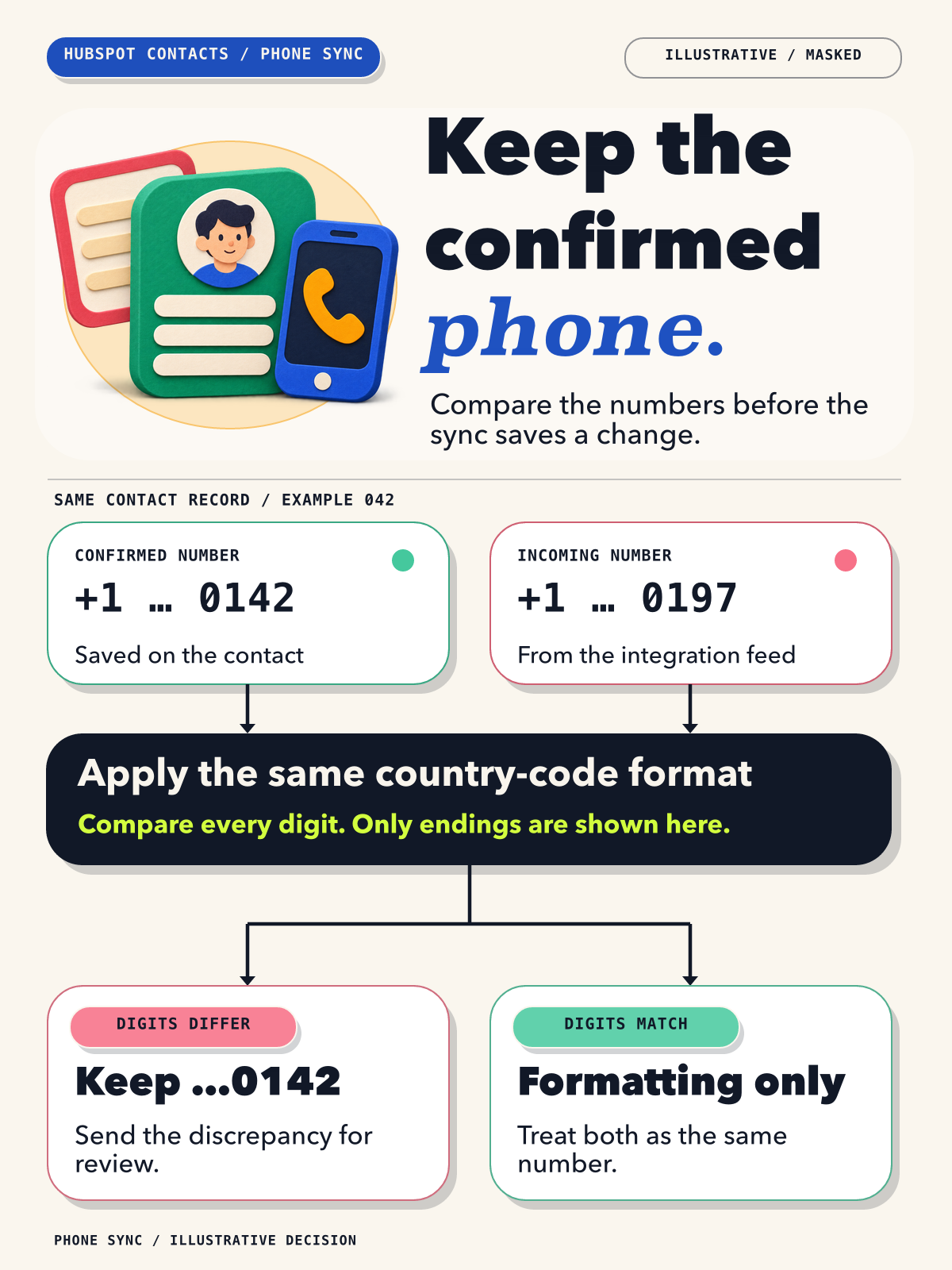
Handle a phone number conflict
In the illustrated example, the saved number ends in 0142 and the incoming number ends in 0197. The integration should leave the confirmed number alone and give the contact owner a task to check the new one.
Match the incoming record to the HubSpot Record ID your integration already uses. Then compare the full numbers, including known country codes. Spaces and punctuation can differ even when the number is the same. If you can't identify the contact or establish the country code, keep the saved value and ask someone to check it.
Include the contact link in the review task. Label the last four digits of each number as “confirmed” and “incoming” so the owner can tell which is which. Use the full numbers for the comparison; the masked digits are only for the task summary.
How do you find a phone number that already changed?
On the contact, open Actions > View property history. Find Phone number to see its earlier values, dates, and sources. Use a trusted source to confirm which number is correct before restoring it.
See HubSpot’s guides to Record ID and property history.