
Runnable example · Document generation
Generate PDFs from JSON with Typst
Download a Typst template, JSON sample, and finished PDF. Compile the report locally and adapt its rows, text, and page layout.
Our document generator used to write an HTML file, find Chrome, and ask it to print a PDF. We moved that step to Typst, so the application now sends document source to a compiler and gets PDF bytes back.
That change was part of reducing memory pressure on my 36 GB MacBook Pro. Chrome still handles browsing. It no longer needs to start just to make a document.
Below is a small report you can run yourself. Its work items are fictional. Our application builds Typst source from typed models; this example reads JSON so you can edit the input with any text editor.
Download the report
Save the template and JSON beside each other. The example source has an MIT license; the README includes compilation instructions.
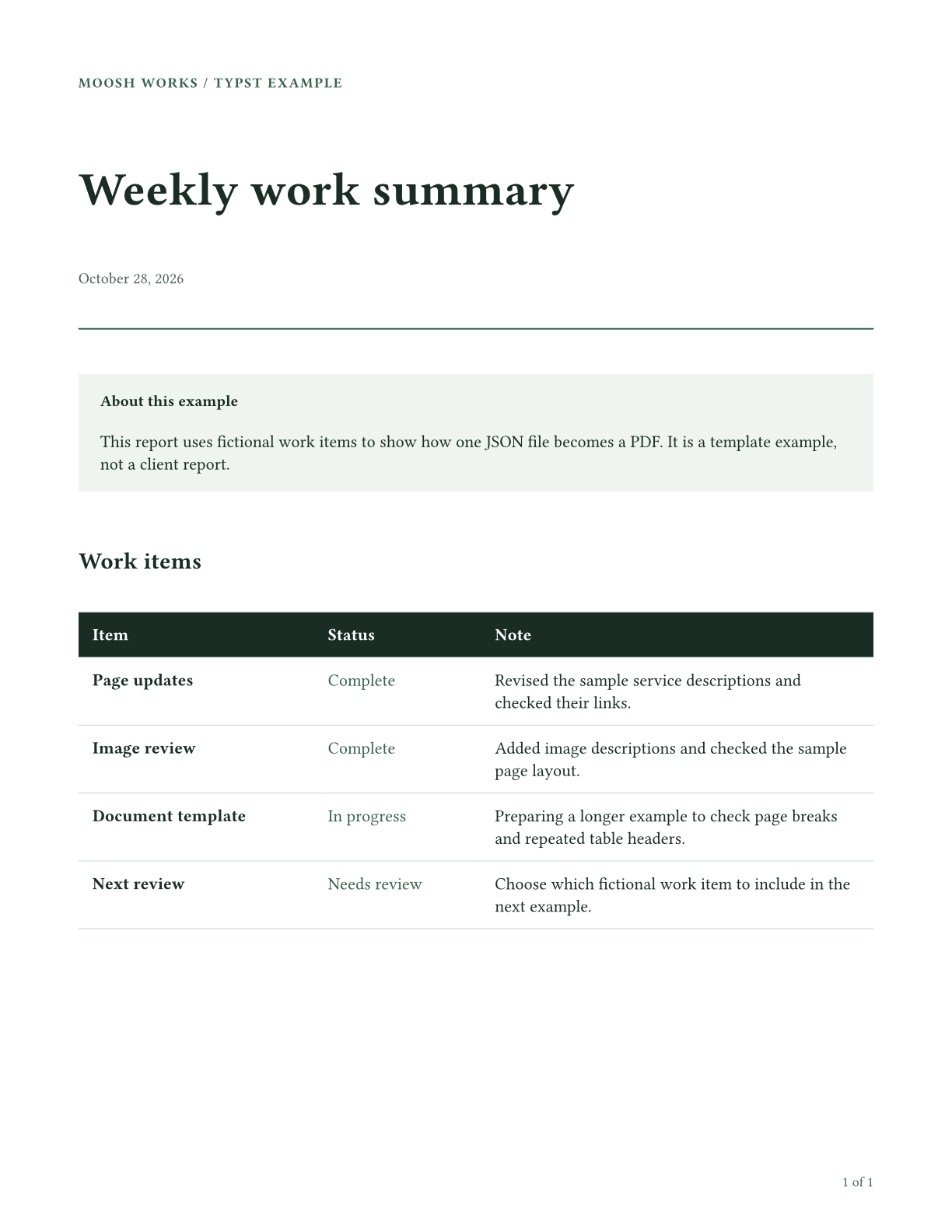
Compile the JSON into a PDF
Install the Typst compiler and open the directory containing the two source files. These commands were checked with Typst 0.15.1:
typst --version
typst compile --ignore-system-fonts \
  --input data=sample.json report.typ report.pdf
The data input selects the JSON file. If you leave it out, the template uses sample.json. It uses Typst’s bundled Libertinus Serif font and has no external package imports. The --ignore-system-fonts flag keeps fonts installed on your computer from changing the example.
The JSON needs a title, display date, summary, and list of rows. This is a minimal valid input:
{
  "title": "Weekly work summary",
  "date": "October 28, 2026",
  "summary": "A fictional report for this example.",
  "rows": [
    {
      "item": "Page updates",
      "status": "Complete",
      "note": "Checked the sample links."
    }
  ]
}
Typst’s JSON loader reads the values. The template gets the filename through sys.inputs, then lays out the title and rows. To make another report with the same layout, supply another JSON file.
Input the template will reject
The title, date, and summary must be nonempty strings. Each row needs an item, status, and note. The permitted statuses are Complete, In progress, and Needs review.
Compilation stops for missing fields, wrong types, empty strings, or an unknown status. Extra fields are ignored. The date is displayed as supplied; the template doesn’t check whether it’s a real calendar date.
Strings pass through text(), so characters such as # and $ appear as text rather than running as Typst source. The template itself is trusted code. This example is for local report generation and doesn’t include a service for accepting arbitrary templates or uploads.
Check long notes and page breaks
Open report.pdf and compare it with the JSON. Then try a longer note and enough rows to fill several pages. You can also render each page as an image:
typst compile --ignore-system-fonts \
  --format png --ppi 144 report.typ 'preview-{p}.png'
The {p} placeholder gives each page a separate filename. The template uses table.header() to repeat column headings when the table continues. Look for clipped text and awkward breaks, especially inside long cells.
For a report you’ll generate regularly, keep sample inputs with long notes, special characters, and missing fields. Check the compiler’s exit status before using its output. Save the template, input, compiler version, and font choices when you need to reproduce a document later.
An HTML report may still fit better
If a report already matches a web page or depends on JavaScript, moving it to Typst means rebuilding the layout and checking the fonts and pagination. Typst was useful here because the document had a fixed layout and the application already knew what content to put in it.
We haven’t published a Typst-versus-Chrome timing or memory test. The CSV benchmark measures a different job and says nothing about PDF-generation performance. This download lets you inspect the template and resulting document yourself.